Every business mile, logged automatically.
MileBack records your drives in the background, sorts business from personal, and turns them into an IRS-ready mileage log for tax time. No buttons to press. No spreadsheets to fill.
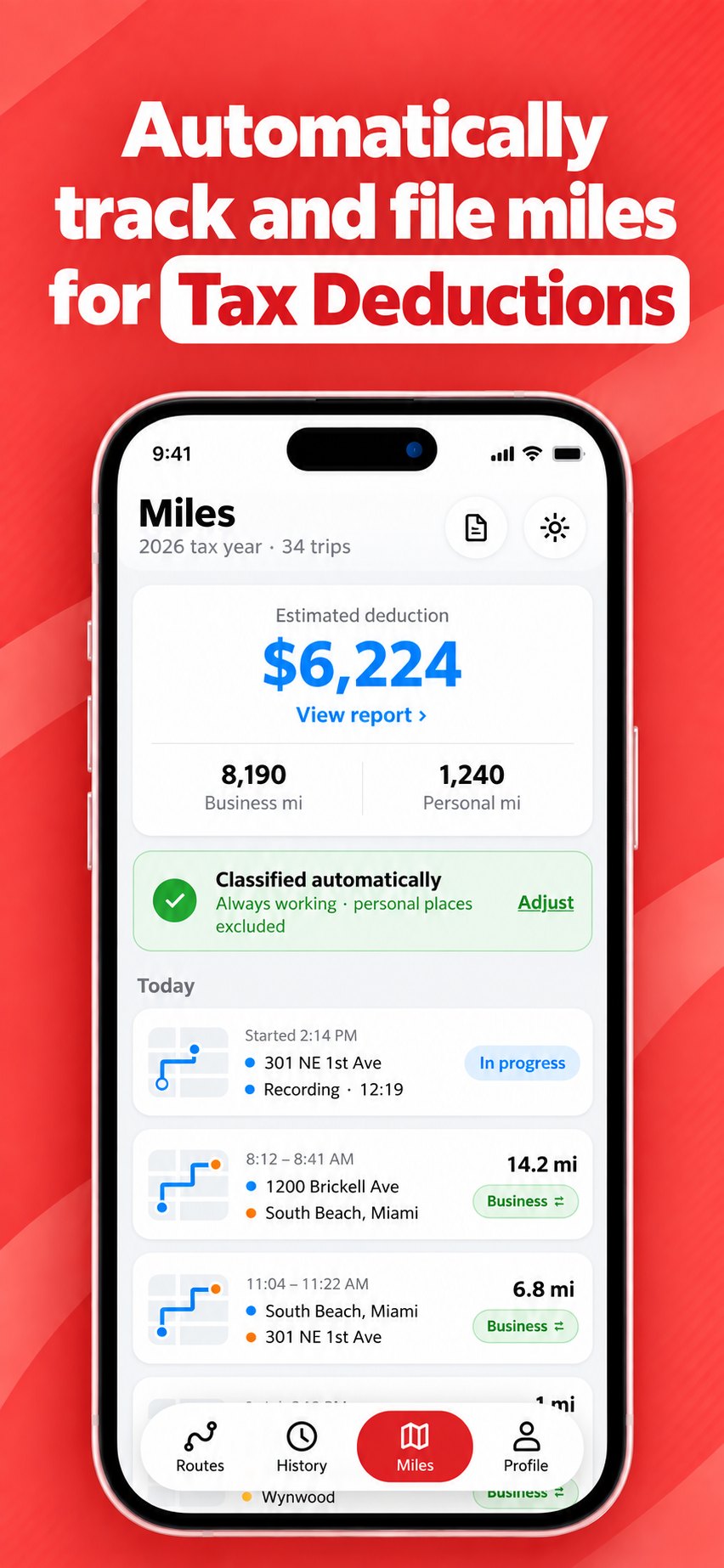
Set it up once. Then just drive.
The IRS lets you deduct the business miles you drive — but only the ones you can prove. MileBack builds that proof while you work.
Drive like normal
MileBack notices when you start driving and records the trip in the background — start, end, route and distance. You never have to open the app.
Drives sort themselves
Trips are classified as business or personal from your working hours and the places you label. Spot one that's wrong? One tap flips it.
Export at tax time
Download a mileage report as PDF or CSV — every trip with its date, addresses, purpose and miles — ready to hand to your accountant.
Built to capture every deductible mile
A missed trip is a missed deduction. Everything in MileBack is designed so nothing slips through.
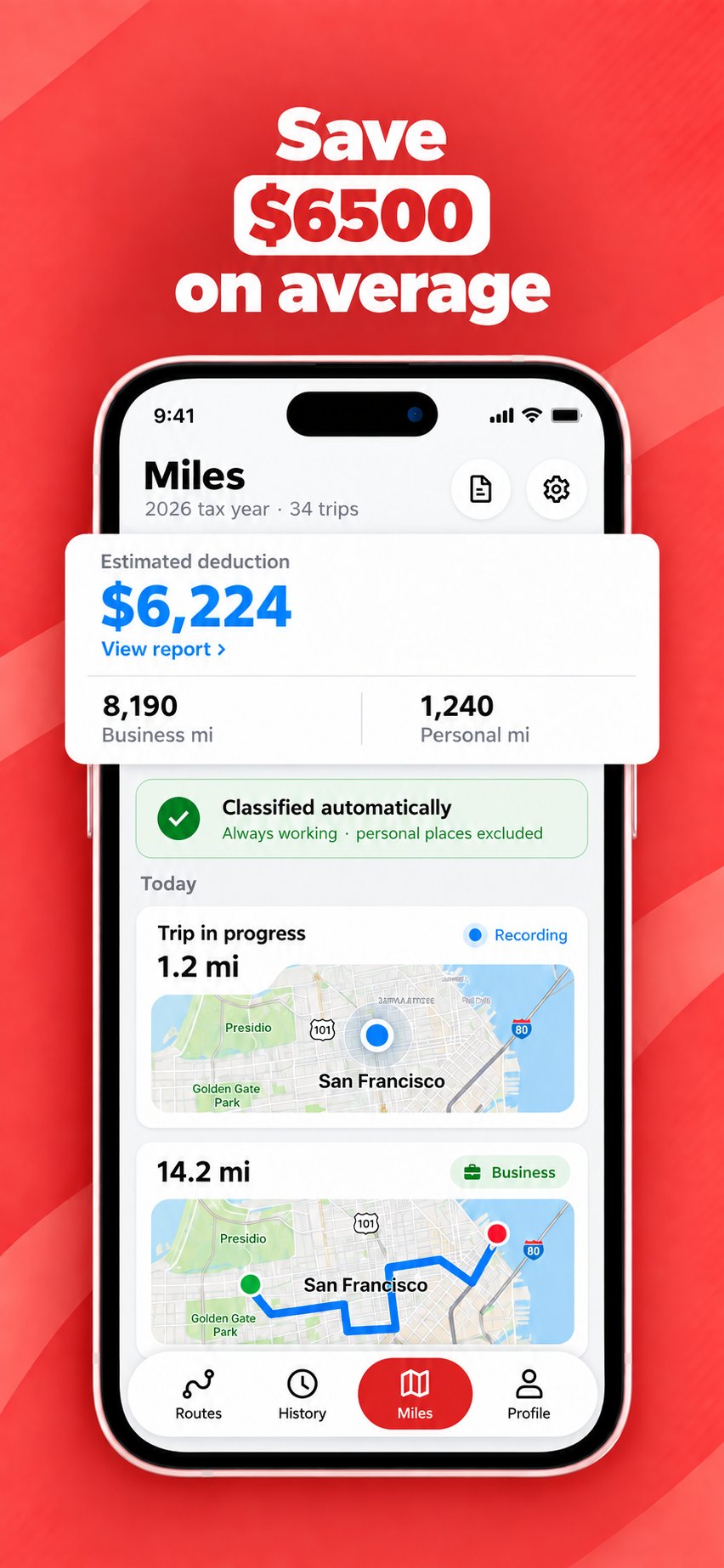
Your mileage log builds itself
Motion sensing tells MileBack when you're driving, so GPS only wakes up when it's needed. Walks, bike rides and trips as a passenger on public transport stay out of your log.
- Hands-free. No start or stop buttons, no forgetting to log.
- Battery-aware. Low-power location updates designed for all-day driving.
- Live progress. See the drive you're on right now, right at the top of your trip list.
No swiping every single drive
Most mileage apps ask you to sort every trip by hand — that's well over a thousand swipes a year for a busy driver. MileBack sorts them for you by default.
- Working hours. Choose "always working" or set your schedule; drives inside it count as business.
- Labelled places. Mark a place as personal once, and every drive there follows.
- One-tap fixes. Tap a trip's label to switch business and personal. Your total updates instantly.
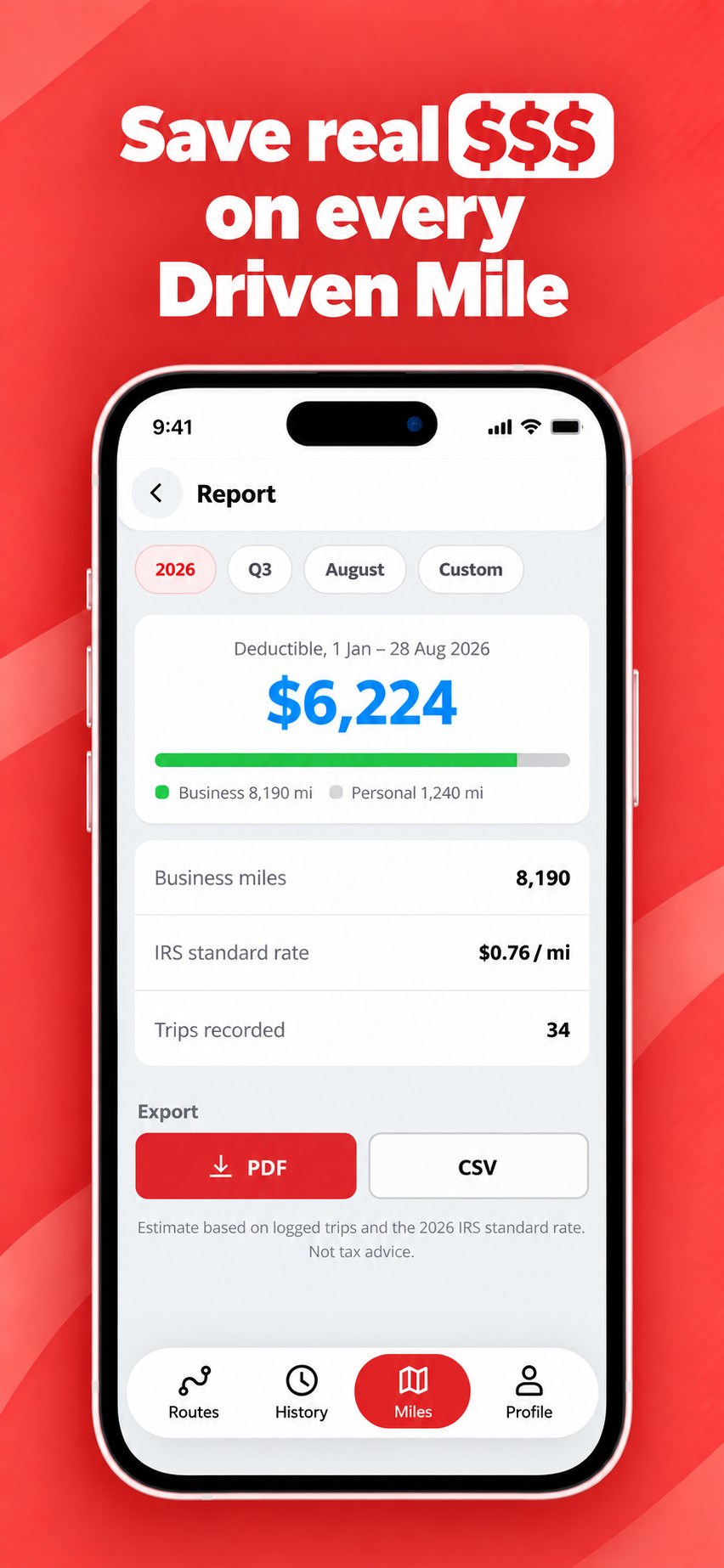
A report your accountant can actually use
Pick a year, quarter, month or custom range and export. Every business trip is listed with the details the IRS asks you to keep, priced at the correct standard rate.
- PDF and CSV. A clean summary for your records, a spreadsheet for your accountant.
- The right rate for each trip. 2026 miles are valued at 72.5¢ before July 1 and 76¢ after.
- Review before you export. A quick summary of business and personal trips before anything leaves your phone.
Private by design
Your trip history lives on your iPhone. We don't sell your location data.
Your vehicle on file
Add make, model, year and plate once — they print on every report.
Notes and edits
Add a note to any trip, change its purpose, or delete it.
Places you visit
MileBack spots the places you return to, so you can label them once.
What is your driving worth?
Move the sliders to estimate your yearly mileage deduction and roughly how much tax it could save you.
A deduction lowers your taxable income; the tax you actually save is roughly the deduction × your combined rate (federal and state income tax plus self-employment tax). Estimate uses the 76¢ rate in effect from July 1, 2026. Not tax advice.
For anyone who drives for their own business
If you're self-employed, a 1099 contractor or run a small business, your business miles are one of your biggest deductions.
A note for employees: if you're a W-2 employee, you generally can't deduct unreimbursed work mileage on your federal return. You can still use MileBack to keep an accurate log for your employer's mileage reimbursement.
Estimates don't count. Records do.
To claim business mileage, you need a record made at the time of each trip — not a guess reconstructed in April. MileBack captures each detail as you drive.
| Date | From → To | Purpose | Miles | Value |
|---|---|---|---|---|
| Tue, Sep 29 | 1200 Brickell Ave → South Beach, Miami | Business | 14.2 | $10.79 |
| Tue, Sep 29 | South Beach, Miami → 301 NE 1st Ave | Business | 6.8 | $5.17 |
| Wed, Sep 30 | 301 NE 1st Ave → Wynwood | Business | 5.1 | $3.88 |
Try it free for 3 days
One simple plan with everything included.
MileBack Pro
Yearly subscription · 3-day free trial
- Unlimited automatic drive tracking
- Automatic business / personal classification
- Unlimited PDF and CSV reports
- Vehicle details and trip notes
Questions, answered
Do I need to open the app before every drive?
No. Once you've allowed location access "Always" and Motion & Fitness access, MileBack detects drives in the background and records them on its own.
Will MileBack drain my battery?
MileBack uses your iPhone's motion sensors to tell when you're driving and only turns on precise GPS during a drive. Battery use depends on how much you drive, but it's designed for all-day use.
Are the reports accepted by the IRS?
The IRS asks for a record of each business trip made at or near the time — including the date, destination, business purpose and miles driven. MileBack's reports include each of these. Whether your deduction is allowed depends on your circumstances, so check with your tax professional.
How does MileBack decide what's business and what's personal?
By default it treats drives as business ("always working") unless they go to a place you've labelled personal. You can also set working days and hours — drives outside them are marked personal. Any trip can be switched with one tap, and you review a summary before every export.
Can I deduct my commute?
Generally, driving between your home and a regular workplace is commuting and isn't deductible. If your home is your main place of business — common for delivery, rideshare and field work — drives to clients and jobs usually are. Mark any commute trips as personal, and ask your tax professional if you're unsure.
Which mileage rate does MileBack use?
The IRS standard mileage rate for business: 72.5¢ per mile for January 1 – June 30, 2026, and 76¢ per mile from July 1, 2026. Each trip is valued at the rate in effect on the day it was driven.
Where is my data stored?
Your trip history is stored on your iPhone. Read our Privacy Policy for full details, and see how to delete your data.
Is there an Android version?
Not yet — MileBack is currently available for iPhone only. Email info@mileback.app if you'd like to hear when Android launches.
How do I cancel?
Subscriptions are managed by Apple. Open Settings on your iPhone, tap your name, then Subscriptions, and choose MileBack. Cancel at least 24 hours before your trial or billing period ends to avoid being charged.
Stop leaving deductions on the road
Every business mile you drive from today can be on the record.
Download on theApp Store